Robbie Thain
Founder, CEO

Reliable brand activation results require selecting proven hardware, connected identity tools, interactive technology stacks.
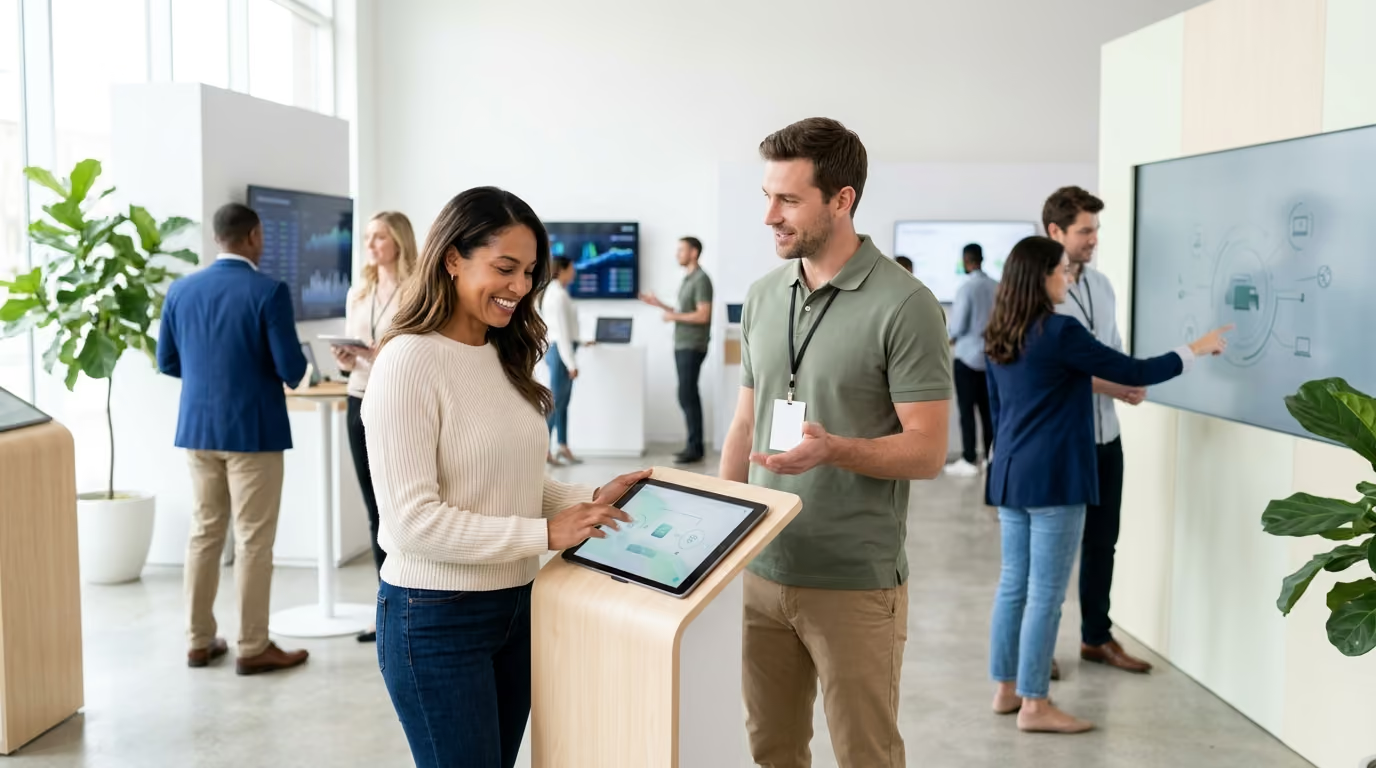
Experiential technology delivers maximum business value when it operates as an invisible utility rather than a flashy distraction. This guide outlines how marketing leaders can systematically select, integrate, and safeguard digital tools across live brand activations to drive measurable Return on Investment (ROI).
Adding more screens to an activation often decreases genuine audience engagement. When brands flood physical spaces with flashing monitors and isolated virtual reality headsets, they frequently build friction instead of connection. Live events work because physical presence creates authentic trust. Research from Freeman and The Harris Poll indicates that 95 percent of attendees trust brands more after participating in an in-person event. Furthermore, 87 percent of working professionals visit a brand website to engage after a physical interaction. Technology should support human interaction, capture verified data, and streamline operational flow without overshadowing the physical product.
Every experienced field marketer knows the sinking feeling of a live activation going dark. The doors open, hundreds of attendees enter the venue, and the primary registration application freezes. The venue Wi-Fi network collapses under the strain of thousands of mobile devices. Digital touchscreens lock up, displaying generic operating system error dialogues instead of branded product configurators.
When digital systems fail without a backup, operations grind to a halt. Brand ambassadors stand around looking confused while trying to reboot consumer-grade tablets. Lines back up into the aisles, frustrating attendees and drawing complaints from event organizers. Meanwhile, valuable consumer leads vanish because no offline data capture mechanism exists.
These breakdowns do not happen because event technology is inherently fragile. They happen because production teams treat hardware and software as isolated marketing novelties rather than mission-critical infrastructure. A trade show floor or outdoor festival is a hostile operating environment. Dust, extreme temperatures, cellular congestion, power fluctuations, and rough handling test every component.
To prevent activations from turning into costly operational failures, brand teams must approach experiential technology with operational discipline. Every digital component requires an infrastructure check, a clear data pathway, and an immediate manual fallback plan.
Deploying hardware without a strategic foundation creates unneeded complexity. Marketing leaders must evaluate every digital investment against a structured operating framework. We recommend using a seven-step sequence before signing software licenses or renting hardware:
For example, consider a premium beverage brand launching a new ready-to-drink product line. The core objective is driving verified product trial and capturing retail remarketing data. The desired attendee behavior is tasting two flavor profiles, selecting a favorite, and receiving a digital coupon for local retail redemption.
The functional technology requirement is a dual-station recommendation tool paired with a mobile coupon delivery system. The data requirement is capturing first-party flavor preferences, consumer email addresses, and consent for local grocery store promotions. In our experience, integrating QR codes and mobile tech directly into a comprehensive experiential marketing framework creates a smooth layer connecting physical sampling to digital tracking.
The operational requirement includes two durable tablets, one dedicated cellular modem, and continuous battery charging banks. The fallback plan features printed flavor voting boards, physical coupon cards, and paper sign-up sheets with manual lead entry procedures. The measurement criteria track the percentage of samples converted into verified digital leads and subsequent store redemptions.
Applying this framework prevents your team from buying unnecessary tech. It ensures that every screen, scanner, and sensor serves a measurable commercial outcome.
A modern experiential activation relies on an interconnected stack of hardware, software, and networking layers. If any layer fails to communicate with the others, data breaks down and operational efficiency drops. Marketing leaders should organize their field technology into distinct operational tiers.
The attendee journey begins long before anyone arrives on site. Your registration software must handle traffic spikes, dynamic calendar invites, and instant ticket distribution. Mobile-first registration forms need fast loading times and clear field validation.
Modern registration platforms use dynamic flows that adapt based on user input. Industry data shows dynamic registration forms can achieve higher conversion rates than rigid, static web pages. Keep initial data requests minimal to reduce friction. Collect only the name, contact channel, and session time during initial sign-up. You can gather deeper consumer preferences later during the live activation.
The check-in area sets the operational tone for the entire event. Long lines create immediate frustration and lower attendee satisfaction scores. High-volume activations require ruggedized barcode or QR scanners, badge printers, and synchronized staff check-in tablets.
Equip your arrival team with dedicated handheld scanners rather than relying on consumer smartphone cameras. Dedicated hardware reads damaged screens and low-contrast codes significantly faster. Ensure that check-in software caches attendee lists locally on every device. If the main server loses connection, staff can continue processing arrivals without interruption.
The experience layer contains the visible digital touchpoints that attendees touch, view, and manipulate. This includes interactive touchscreens, digital projection mapping, augmented reality installations, and gamified product displays.
Design every interactive display around a simple behavioral loop: invite, orient, interact, reward, and share. The interface must communicate what it does within three seconds. If an attendee cannot understand how to begin interacting, they will walk away. Keep interaction cycles under two minutes per person to maintain high foot traffic throughput.
The data layer sits behind the physical activation. It unifies scan events, survey responses, product preferences, and consumer consent records into a structured format.
Your field systems must feed clean data directly into your central Customer Relationship Management (CRM) platform. Configure webhooks and API connections before the event begins. Validate data formatting to ensure postal codes, phone numbers, and opt-in timestamps match your enterprise database standards. When done properly, capturing first-party consumer data turns fleeting live interactions into permanent pipeline assets.
If your activation includes retail sales or product sampling merchandise, your transaction systems must operate flawlessly. Mobile point-of-sale systems, contactless card readers, and mobile wallet scanners need local encryption and fast authorization cycles.
Payment hardware must support offline transaction queuing if network connectivity drops. Staff need clear protocols for reversing accidental charges, issuing refunds, and printing physical receipts upon request.
Connecting an attendee's physical movement to digital systems requires the right identity carrier. QR codes, Near Field Communication (NFC), and Radio Frequency Identification (RFID) each offer specific mechanical advantages.
QR codes provide the lowest barrier to entry because nearly every modern smartphone includes a native camera scanner. They work exceptionally well for mobile landing pages, digital coupon distribution, quick surveys, and product education.
However, QR codes introduce physical vulnerabilities. Poor booth lighting, glossy signage glare, and weak cellular connectivity can prevent visitors from scanning successfully. Always print a clear, shortened URL beneath every QR code. Position codes at eye level and keep them stationary so visitors can scan them easily.
NFC tags allow visitors to tap their smartphones or branded physical tokens against an activation point to trigger actions. NFC provides rapid data transfer without requiring the user to open a camera application or frame a target.
Use NFC for exclusive product reveals, instant loyalty program enrollment, and interactive physical displays. Place prominent graphic indicators showing attendees exactly where to tap their devices. Keep spare programmed tags on site to replace damaged physical touchpoints immediately.
RFID wristbands and smart badges excel in controlled, multi-zone environments like major brand festivals and executive summits. RFID enables hands-free tracking across activation zones, rapid access control, and seamless cashless payments.
Because RFID operates as a continuous tracking tool, brands must maintain absolute transparency regarding data collection. Clearly inform attendees what data the wristband records and how your team stores that information. Provide an easy process for reissuing lost wristbands while preserving previously captured user preferences.
Immersive technology can create powerful emotional memories, but choosing the wrong format introduces severe operational bottlenecks. Marketing teams must weigh the practical trade-offs between augmented reality and virtual reality before building custom digital assets.
Augmented reality layers digital visuals, animations, or product models onto the real physical environment through mobile devices or smart mirrors. AR allows visitors to stay connected with their surroundings, their companions, and your brand ambassadors.
AR works exceptionally well for virtual product try-on experiences, interactive packaging demonstrations, and mechanical product cutaways. For example, footwear and apparel brands use AR mirror stations to let shoppers view different colorways without changing clothes. Because AR runs on open screens or consumer phones, throughput remains high and physical sanitization concerns remain low.
Virtual reality creates a completely simulated digital environment using enclosed head-mounted displays. While VR offers deep visual immersion, it carries heavy operational burdens in public event settings.
Freeman research revealed that only 8 percent of surveyed brand organizations were experimenting with VR in live experiences, compared to 22 percent utilizing interactive touchscreens. VR headsets isolate the user from the booth environment, require dedicated staff assistance for every user, and demand constant physical sanitization. Furthermore, VR experiences frequently cause motion discomfort and create long, slow-moving queues that frustrate passing attendees.
Reserve VR activations for scenarios where the physical environment cannot be replicated, such as industrial equipment simulations or remote travel previews. For standard commercial activations, prioritize tactile, hands-on experiences that encourage group interaction. Research indicates that 64 percent of event attendees prefer hands-on, physical brand experiences over purely digital screen displays.
A digital activation is only as reliable as the power cables and data networks supporting it. Field marketing teams cannot rely on shared venue infrastructure or standard cellular coverage during crowded activations.
High-density events cause severe cellular tower congestion. When thousands of people gather in an exhibit hall or stadium, standard mobile data networks slow down or drop entirely. Build a resilient, tiered connectivity infrastructure:
Never run an activation where a lost internet connection prevents basic lead capture or product displays from operating. Configure software to store registration records locally in encrypted storage. When the connection restores, the system can sync records automatically in small data packets.
Power outages on an event floor can corrupt local databases and shut down interactive displays. Calculate the total electrical wattage of all screens, lighting rigs, audio components, and charging stations before arriving on site.
Deploy Uninterruptible Power Supply (UPS) battery backup units on all central servers, network routers, and main control terminals. These units provide surge protection and supply temporary power during circuit trips. Keep dedicated charging stations for staff tablets behind the scenes, ensuring backup devices remain fully powered throughout the activation schedule.
Capturing consumer information in public spaces requires strict compliance with federal privacy guidelines and international accessibility standards. A legal misstep or data leak can quickly destroy brand equity.
The Federal Trade Commission (FTC) mandates that businesses collect only the personal information necessary for legitimate business functions. Marketing teams must practice strict data minimization across all digital event touchpoints.
Separate mandatory operational fields from optional marketing preferences on every digital form. Clearly inform attendees how your brand uses their data, who will access it, and how long you retain it. Never bundle marketing consent into general entry requirements without providing a clear opt-out mechanism. Restrict staff access permissions on field devices so brand ambassadors can view only the interfaces needed for their immediate tasks.
Some event technologies offer facial analysis to estimate attendee age, gender, or emotional sentiment near digital signage. Deploying these systems creates substantial legal and reputational risks.
FTC guidance states that companies collecting biometric data must provide clear, conspicuous notice and obtain affirmative consent from consumers. If your team considers using camera-based analytics, consult legal counsel and ensure the system processes data locally without storing facial templates. Provide an equivalent, non-biometric route for every attendee. If your activation targets families, comply fully with Children's Online Privacy Protection Act (COPPA) requirements by avoiding personal data collection from children without verified parental consent.
An activation must remain welcoming and accessible to all individuals, including people with physical and cognitive disabilities. Apply the principles of the W3C Web Content Accessibility Guidelines (WCAG) 2.2 across all digital touchpoints.
Sophisticated technology cannot save an activation if the on-site team does not know how to operate it. Brand ambassadors represent the human bridge between your digital tools and your audience. When planning your event, allocate sufficient resources to staffing your field marketing activations with technically proficient operators.
Assign specific technical responsibilities to your field team:
When a digital component malfunctions during live operations, staff must follow a disciplined troubleshooting sequence rather than attempting random fixes:
Every automated feature must have an immediate manual alternative. If an electronic waiver system fails, staff should immediately produce printed clipboards. If a digital product selector freezes, brand ambassadors should use laminated visual guides to continue the conversation.
Prepare your team by running physical drill scenarios before the doors open. Have staff practice switching from digital check-in to paper lookups within thirty seconds. These rehearsals build confidence and keep your brand presence polished under pressure.
Calculating the true return of experiential technology requires looking beyond vanity metrics like raw scan volume. Marketing executives must connect digital interaction data directly to downstream commercial outcomes using a comprehensive field marketing measurement strategy.
Structure your reporting around a balanced framework of leading operational indicators and lagging business outcomes:
Leading Metrics (On-Site Performance):
Lagging Metrics (Business Impact):
To prove that physical activations generate revenue, connect your field data directly to enterprise analytics tools. Deploy unique promo codes, custom vanity URLs, and localized tracking links for each event market.
Utilize matched-market testing by comparing retail sales velocity in cities with live activations against demographically similar control markets without activations. Reviewing different experiential marketing attribution models helps marketing leaders select the best method for their retail distribution model.
Examining how leading consumer brands implement technology highlights the balance between operational discipline and creative engagement.
A national beverage brand executing a multi-city sampling tour needed to capture verified consumer flavor preferences across high-traffic outdoor festivals. Rather than forcing attendees to complete long digital surveys, the brand built an interactive voting kiosk.
Attendees received two sample cups with unique printed barcodes on the base. After tasting, they scanned their preferred flavor barcode at a high-speed optical reader station. The scan immediately updated a real-time visual display showing neighborhood taste preferences and triggered an automated SMS containing a local retail coupon.
The brand deployed edge servers and local cellular routers at each tour stop. When cellular connectivity dropped during peak festival hours, the kiosks continued reading barcodes and storing vote counts locally. Once connectivity restored, the system sent queued SMS coupons in batches without dropping a single record.
A major athletic footwear brand utilized an augmented reality fitting station to solve inventory constraints in compact retail pop-ups. Shoppers stepped onto a designated tracking mat facing a digital mirror screen.
The display projected dynamic shoe models onto the customer's feet, allowing them to test various color combinations and materials through physical motion. Staff ambassadors carried synchronized mobile checkout tablets. Once the customer selected a design, the ambassador scanned an NFC tag on the kiosk to pull the exact configuration into the point-of-sale system.
The brand supported the digital mirrors with physical swatch samples and printed product catalogs. If a display required calibration, ambassadors transitioned the shopper to a physical sizing station without interrupting the sales conversation.
Disciplined operational execution transforms live event technology from an expensive risk into your most reliable driver of pipeline growth.

30 Years Experiential & Retail Activation Partner for CPG & Beverage Brands | Multi-Market Demos, Roadshows & Costco/Club Programs That Actually Sell